Read secrets in GitHub Actions without a key
A GitHub Actions job can read your secrets without an API key stored in GitHub. You trust the repository in Mocco. Each job then proves which repository and branch it runs from with GitHub's OIDC token, and Mocco gives it a read token that lasts a few minutes. Nothing long-lived is stored in GitHub, so there is nothing to leak or rotate.
The token only reads. It reads one environment, only the folders you choose, and it never changes a secret.
Trust a repository
Workspace owners and admins open the project's Secrets, choose the environment, open Access and select Trust a repository under GitHub Actions.
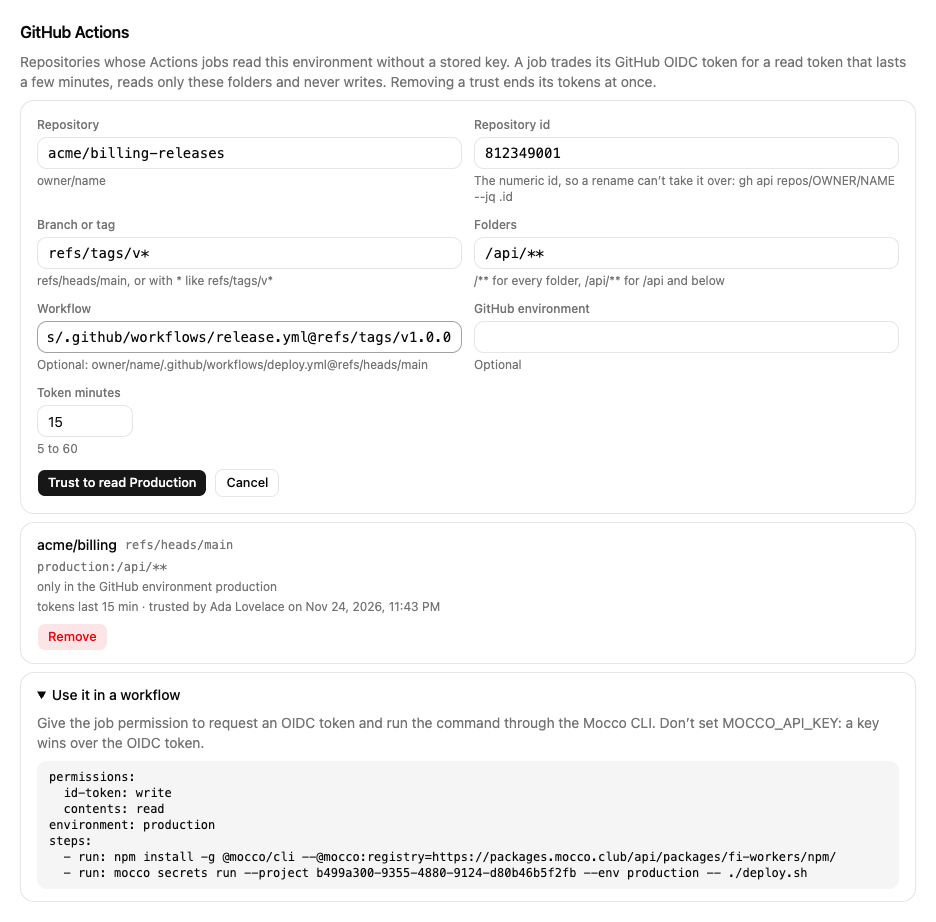
Repository is
owner/name. It is shown in lists.Repository id is GitHub's numeric id for the repository. Get it with
gh api repos/OWNER/NAME --jq .id. Mocco matches jobs by this id, so a renamed or re-created repository with the same name can't read your secrets.Branch or tag is the ref the job runs on, such as
refs/heads/main. Use*to match several refs, for examplerefs/tags/v*for release tags.Folders limits what the job reads:
/**is every folder,/api/**is/apiand everything under it, and/is the root folder alone. You can only choose folders you can read yourself.Workflow limits the trust to one workflow file, for example
acme/app/.github/workflows/deploy.yml@refs/heads/main. Leave it empty to allow any workflow in the repository.GitHub environment limits the trust to jobs that run in that GitHub environment (
environment:in the job). Use it when the GitHub environment already has required reviewers or branch rules.Token minutes is how long each job's read token lasts, from 5 to 60 minutes. The default is 15.
A project can trust up to 50 repository and branch combinations. Every member can see the list. Only owners and admins can add or remove one.
Use it in a workflow
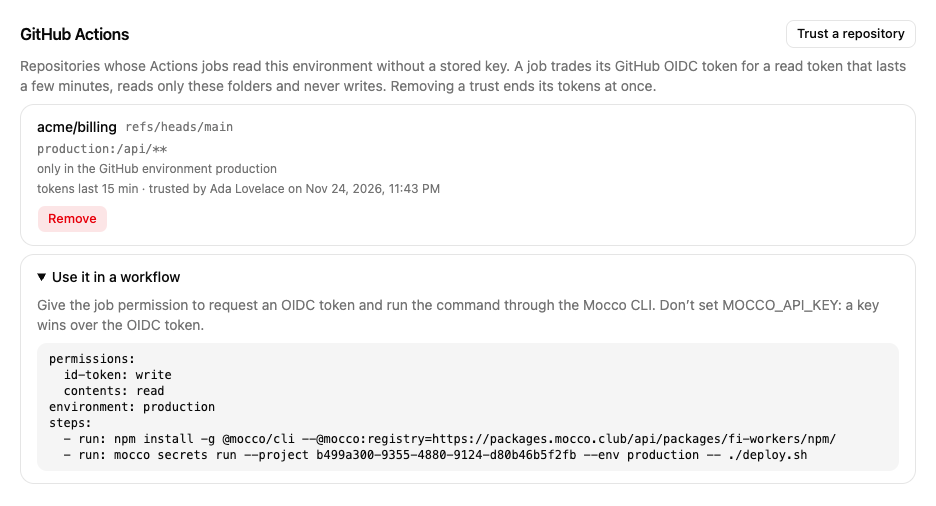
Give the job permission to request an OIDC token, install the Mocco CLI, and run your command through it:
jobs:
  deploy:
    runs-on: ubuntu-latest
    permissions:
      id-token: write
      contents: read
    steps:
      - uses: actions/checkout@v4
      - run: npm install -g @mocco/cli --@mocco:registry=https://packages.mocco.club/api/packages/fi-workers/npm/
      - run: mocco secrets run --project <project-uuid> --env production -- ./deploy.sh
Copy the project UUID from the console URL, or commit a .mocco.json made with mocco link and leave out --project. Add --path /api to read one folder. The Access tab shows these lines for the environment you're looking at.
Don't set MOCCO_API_KEY in this job. When a key is set, the CLI uses it instead of the OIDC token. The CLI masks every value in the job log, as it does with a key; Use secrets from the terminal has the details.
When a job is refused
If no trust matches the job, the CLI stops before running your command and says so. Check these in order:
The workflow has
permissions: id-token: write. Without it, GitHub doesn't give the job a token.The repository id is the repository the job runs in. Pull requests from forks don't get an OIDC token, so they can't read secrets this way.
The job's ref matches the branch or tag exactly. A pull request runs on
refs/pull/<n>/merge, not on its branch.The workflow and GitHub environment match, if you set them.
Mocco doesn't say which check failed, so the refusal can't be used to probe your settings. Each refused and each accepted exchange is on the workspace's Audit page, with the repository, ref and workflow GitHub reported.
Remove a trust
Select Remove on the repository and select it again to confirm. Read tokens already given to its jobs stop working at once, even before they expire. Deleting the environment also removes every trust for it.