Manage secrets
On the project's Secrets page, choose the environment's tab and the folder in the tree. Any member of the workspace can add, reveal, change and delete secrets. See Secrets overview for environments and folders.
Add a secret
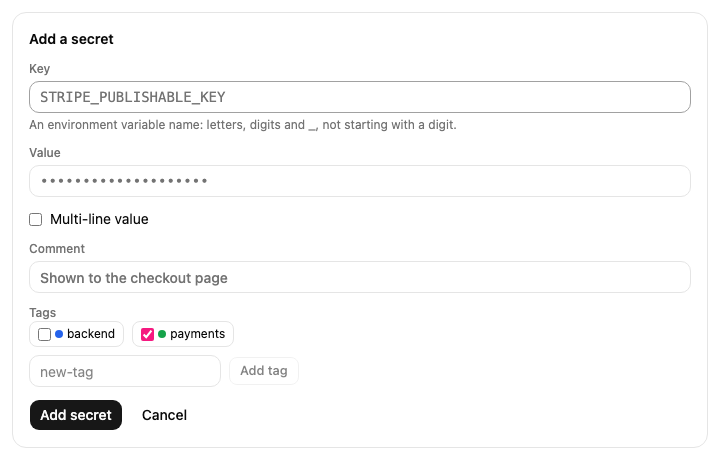
Choose Add secret.
Enter the Key, the name your app reads, such as
DATABASE_URL. A key is letters, digits and_, and doesn't start with a digit.Enter the Value. For a value with several lines, such as a private key, tick Multi-line value first to get a larger field.
Optionally add a Comment and Tags. To make a new tag, type its name under the tags and choose Add tag.
Choose Add secret.
Reveal and copy
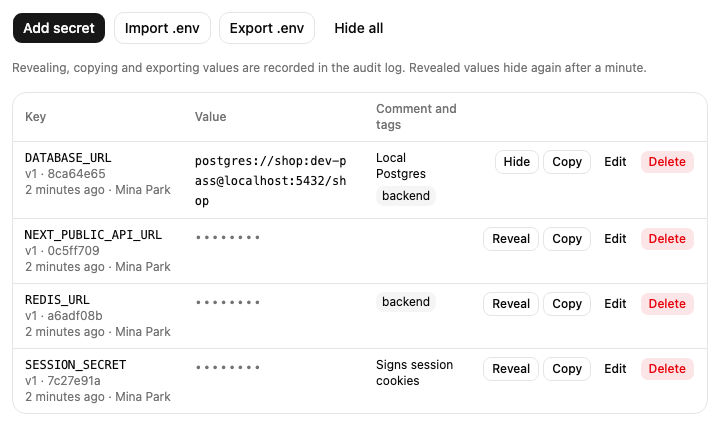
Values are hidden until you ask for them. Reveal shows one value; Reveal all shows every value in the folder. A revealed value hides again after a minute, when you choose Hide, or when you move to another folder or environment.
Copy puts one value on your clipboard without showing it on screen.
Each reveal, copy and export is recorded in the workspace's audit log with the keys and folder, never the values.
Change or delete a secret
Edit changes a secret's comment, tags or multi-line setting without revealing its value. To give
it a new value, tick Change the value and enter it. Each new value becomes a new version, shown
as v2, v3 and so on next to the key.
Delete removes the secret from the folder; choose Confirm delete to go ahead. Its earlier values stay in the folder's history, and setting the same key again brings it back.
Import a .env file
You can add or update many secrets at once from a .env file or a JSON object.
Choose Import .env.
Paste the file's contents, or choose the file.
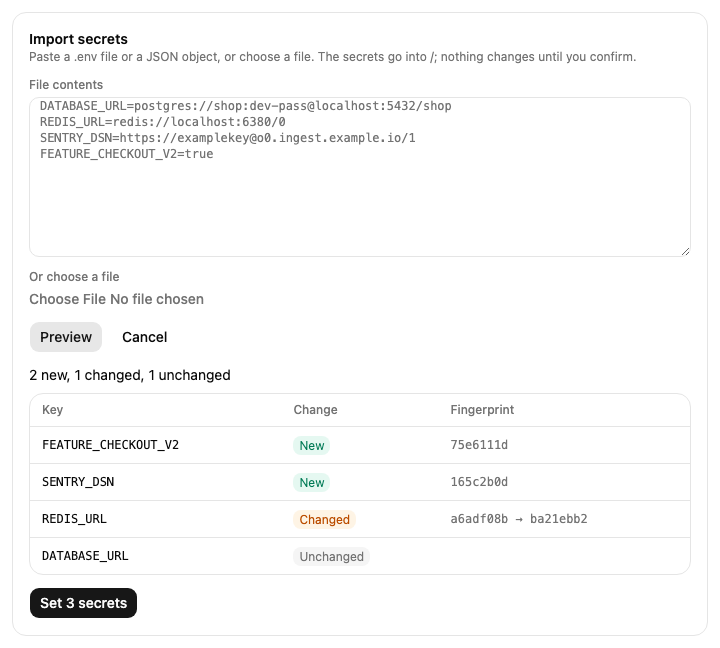
Choose Preview. Nothing changes yet. The preview lists each key as New, Changed or Unchanged, with fingerprints instead of values, so you can check what the import does.
Choose Set to apply it.
What the import reads:
.envlines likeKEY=value, with or withoutexportin front. Lines starting with#and blank lines are skipped, and# …after a bare value is a comment.Values in double quotes, where
\n,\t,\"and\\mean a new line, a tab, a quote and a backslash, and values in single quotes, taken as they are. A quoted value can span several lines.A JSON object of keys and values, such as
{"PORT": 8080}. Numbers andtrue/falseare kept as text.
A line that isn't valid is listed with its line number, and nothing is set until it is fixed. If a key appears twice, the last value is used. One import sets at most 500 secrets. Comments and tags of existing secrets stay as they are.
Export a folder
Export .env downloads the folder's secrets as a .env file, such as production-api.env.
Values are quoted only where needed, and the file imports back to the same values. Exporting reveals
every value in the folder, so it is recorded in the audit log like a reveal.