Secrets overview
Secrets keeps your project's environment variables and secrets — database URLs, API tokens, signing keys — in one place, separately for each environment your app runs in. Every value is encrypted with a key that belongs to your project alone. Values stay hidden in the console until someone reveals them, and every reveal is recorded in your workspace's audit log with who, which keys and which folder, never the values.
Secrets is in preview: it isn't listed on the Products page yet. An owner or admin can turn it
on for a workspace through Mocco's MCP server with the mocco_products_enable
tool and the product secrets. The project then has a Secrets page.
Environments
A project starts with three environments: Development, Staging and Production. They are
created the first time someone opens the Secrets page. Each one keeps its own secrets, so
DATABASE_URL can point at a different database in each.
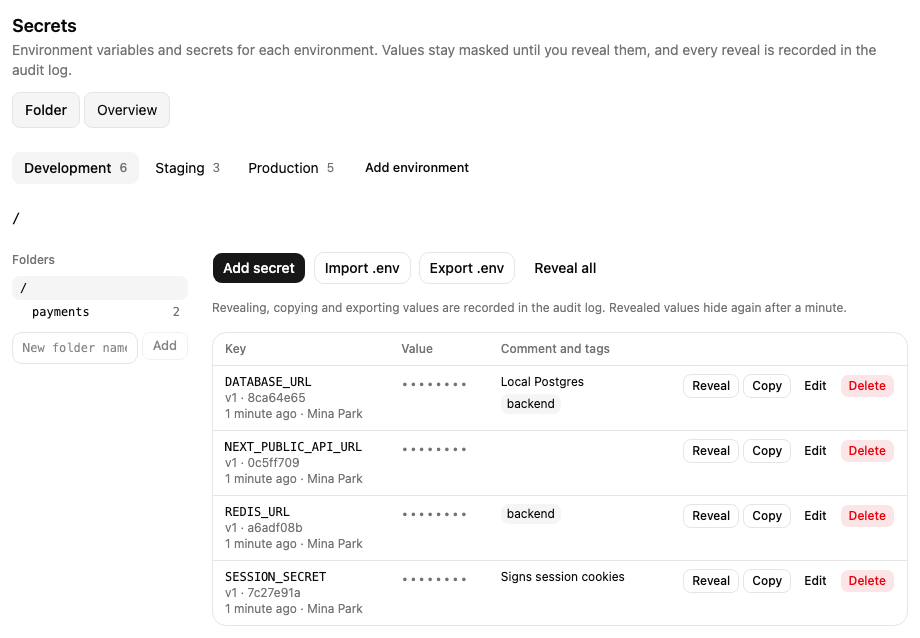
Owners and admins can add an environment, such as preview or qa: choose Add environment,
enter a Name (the Slug is suggested from it), then Add. A slug is lower-case letters,
digits and hyphens. A project has at most 25 environments.
Folders
Within an environment, secrets live in folders, starting at the root /. Use folders to group what
belongs together, such as /api and /api/stripe. The tree on the left shows the environment's
folders with the number of secrets in each, and the path above the list shows where you are.
To add a folder, type its name under the tree and choose Add: it goes under the folder you are
in. A folder name is letters, digits, _ and -, up to ten levels deep. Delete this folder
removes the folder you are in with every folder and secret inside it; choose it a second time to
confirm.
Compare environments
Overview shows the folder you are in across every environment at once: a row for each key and a column for each environment.
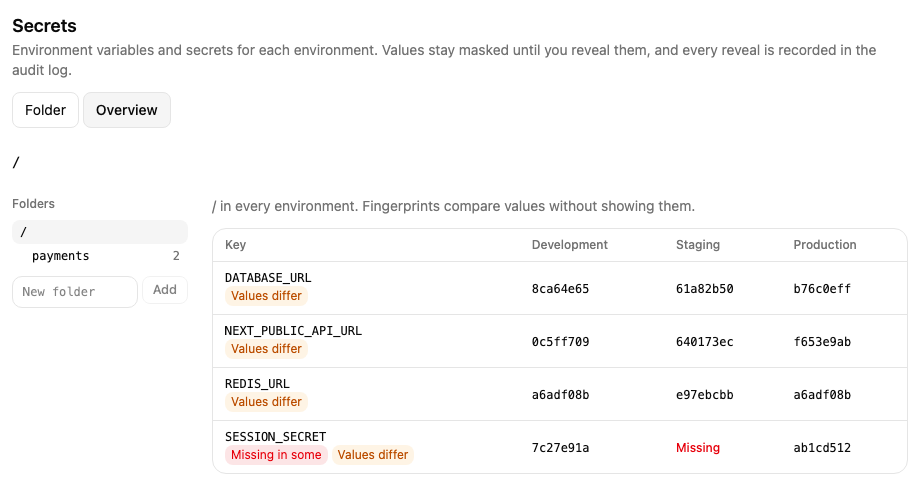
Missing means that environment doesn't have the key; No folder means it doesn't have the folder at all. A key missing somewhere is marked Missing in some.
Each cell shows the value's fingerprint, a short code computed from the value with your project's key. Equal values share a fingerprint, so Values differ marks a key whose value isn't the same everywhere — without revealing any value. A fingerprint says nothing about the value itself.
The overview reveals nothing, so it isn't recorded in the audit log.
Next
Manage secrets: add, reveal, copy, change and delete secrets, and import or
export a .env file.