
What Mocco offers
Mocco is everything your product needs, except the code: the tools a team uses to ship it, run it and hear from the people who use it. Its products are grouped by that job — Release, Operate and Support — and the workspace's Home shows what's waiting for your approval in all of them. Every product shares the same workspace, members, roles and audit log, so the approver roles you set up once work in every product.
Your team works in a workspace. Inside it, a project is one product you ship, with its apps and repositories. Deploy governance, notifications and the audit log work across the workspace; OTA, feature flags, the status page, messenger, the help center and API keys work per project. Set up a workspace and projects is the place to start.
You turn products on and off on the workspace's Products page. Deploy governance is always on.
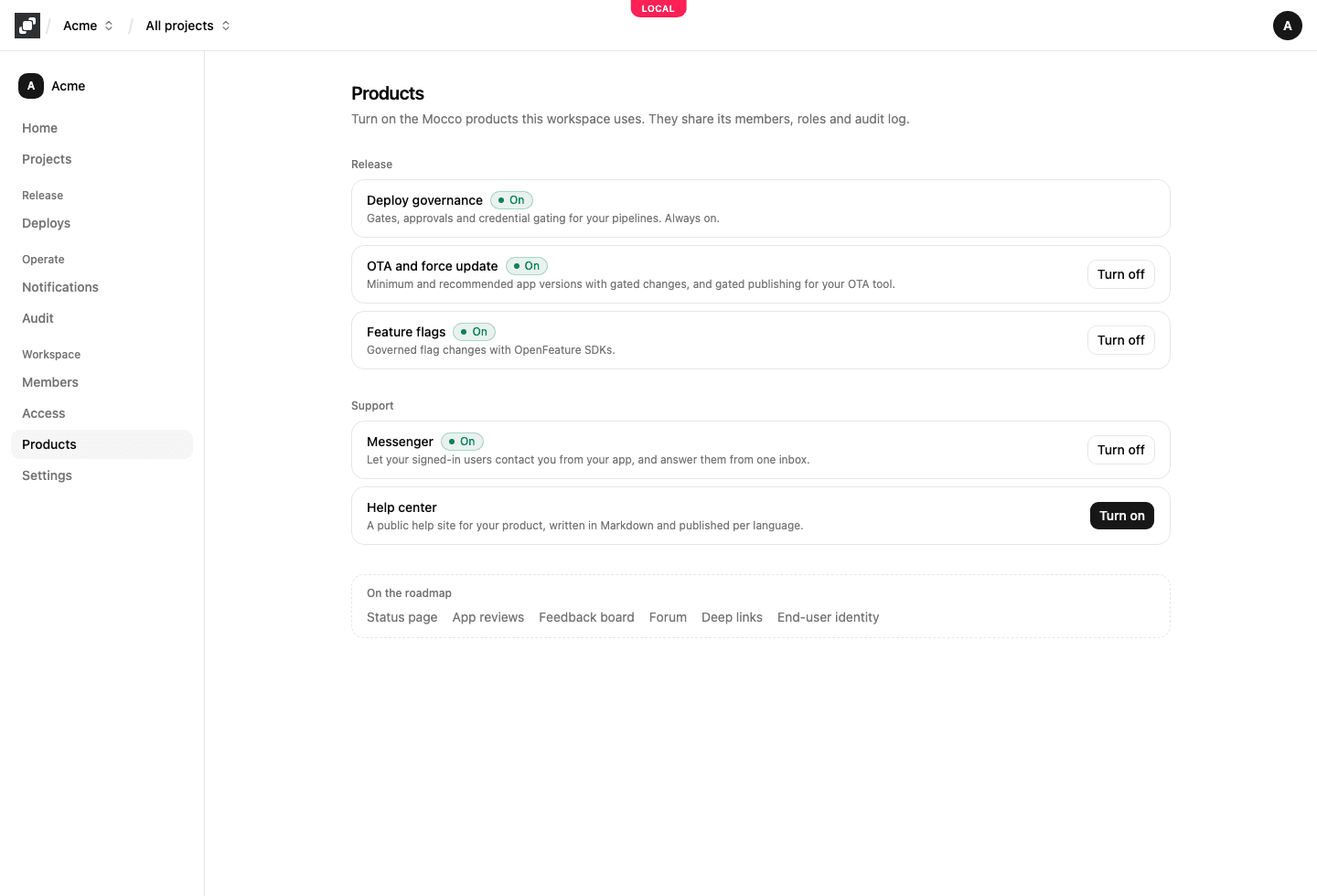
Release
Ship changes to production, with the right people approving the ones that add risk.
Deploy governance
Deploy governance makes "can push to GitHub" and "can deploy to production" two separate permissions. You describe a pipeline in a .mocco.yml file in your repository: steps that run in your CI, and gates between them. A gate pauses the run until enough people with the right roles approve it, and a step that needs a production credential gets it from Mocco only after its gate was approved. See Deploy governance.
OTA and force update
For mobile apps. Force update sets the minimum and recommended version of each store app, so an old build is told to update. Gated OTA publishing keeps the OTA tool you use today (EAS Update, CodePush or hot-updater) and releases its publishing token only to an approved pipeline. Hosted OTA updates serve your React Native app's updates from Mocco, with percentage rollouts, protected channels and instant rollback. See OTA and force update.
Feature flags
Flags with targeting rules, segments and percentage rollouts, evaluated through OpenFeature. Each project has its own environments; a protected environment sends every change for approval, and a kill switch turns a flag off at once. See the feature flags quickstart.
Operate
Know what's happening in production, and what happened.
Status page
Tell your users whether your service works. List the parts of your service as components, declare incidents and post updates on them until they're resolved, write a postmortem, and schedule maintenance that Mocco starts and ends on time. Each component shows the worst of what you reported, its open incidents and maintenance in progress. See Run a status page.
Notifications
Mocco posts events to Discord: its own events, such as a gate waiting for approval, and webhooks from Sentry, Vercel and GitHub. You decide which events go to which channel. See the notifications overview.
The Audit page records every approval, production change and credential release, from every product, in one tamper-evident log. See Audit log.
Support
Hear from the people who use what you built.
Messenger
In-app "contact us" for your users: signed in, or with an email they leave if they aren't. They write from inside your app, with screenshots if they like, and your team answers from the project's Inbox, with the user's app version and platform alongside each conversation. Replies reach the app as push notifications. See In-app contact with Mocco Messenger.
Help center
A public help site for your product. Write articles in Markdown with a live preview, or import an existing Mintlify site; publish them; and offer them in other languages, translated automatically when your Mocco has translation turned on and reviewed by your team. See Publish a help center.
API keys and SDKs
Your apps, servers and CI talk to Mocco with a project's API keys: a publishable key for web and React Native apps, a secret key for servers and CI. The SDKs wrap that API for each platform: @mocco/js for browsers, @mocco/node for servers, @mocco/react-native for React Native apps, the OpenFeature providers for feature flags, and @mocco/cli for publishing OTA updates from CI. See API keys.
Coming later
The Products page also lists products that aren't available yet, under On the roadmap: app reviews, a feedback board, a forum, deep links and end-user identity. They can't be turned on until they ship.