Publish a Tauri app
This guide takes a Tauri 2 app from nothing to a published release that installed apps update to.
1. Turn it on and set up the app
Turn on Desktop releases (and Help center, for the releases page) under Products in your workspace.
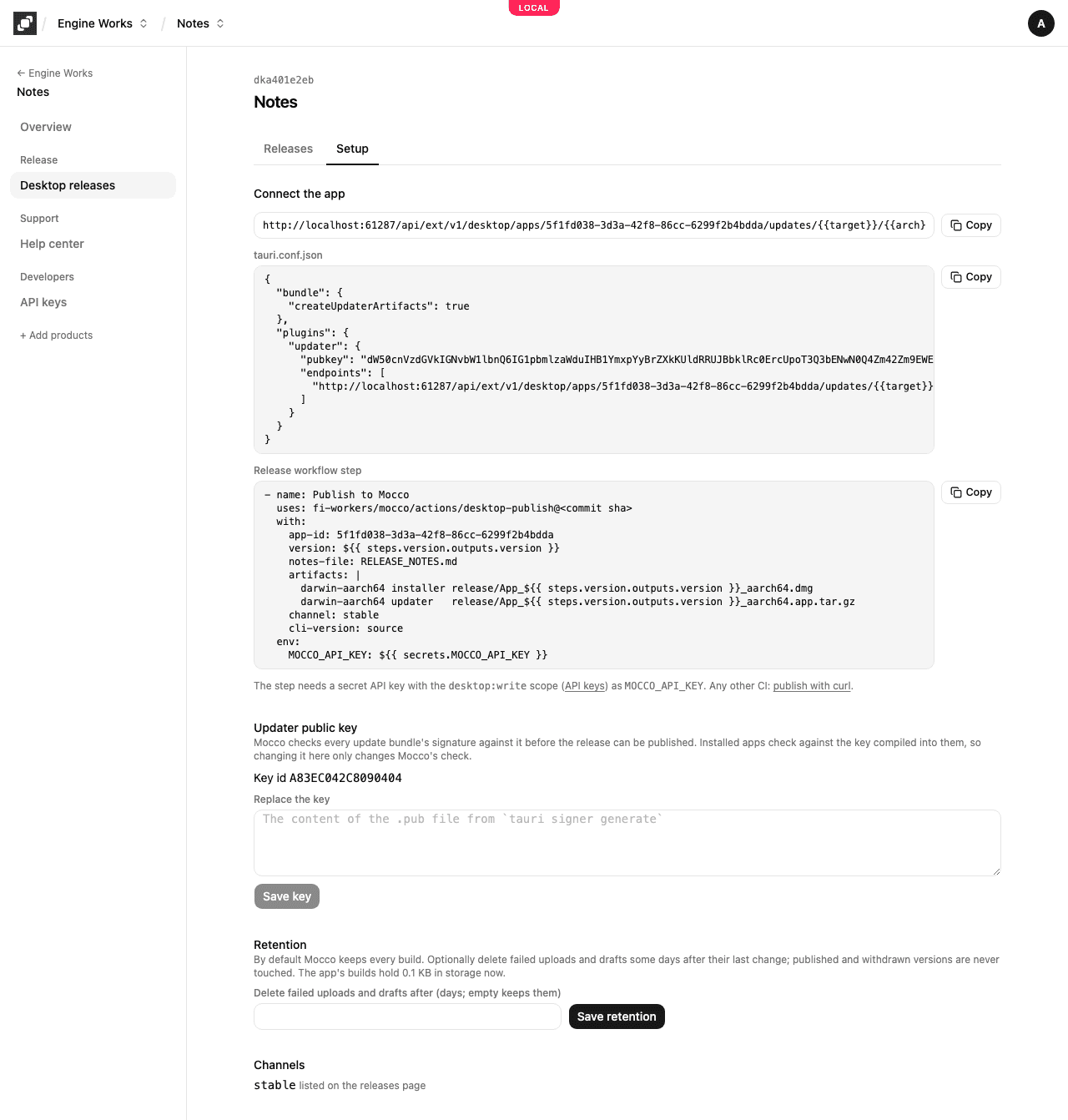
Open the project, then Desktop releases, and choose Set up a desktop app: pick an existing app of platform Desktop or name a new one.
Make the updater key pair, once, and keep the private key safe. Without it, no update can ever reach installed apps:
npm run tauri signer generate -- -w ~/.tauri/myapp.keyPaste the content of the
.pubfile as the Updater public key (now, or later on Setup: Mocco refuses update bundles until it has the key).
2. Point the updater at Mocco
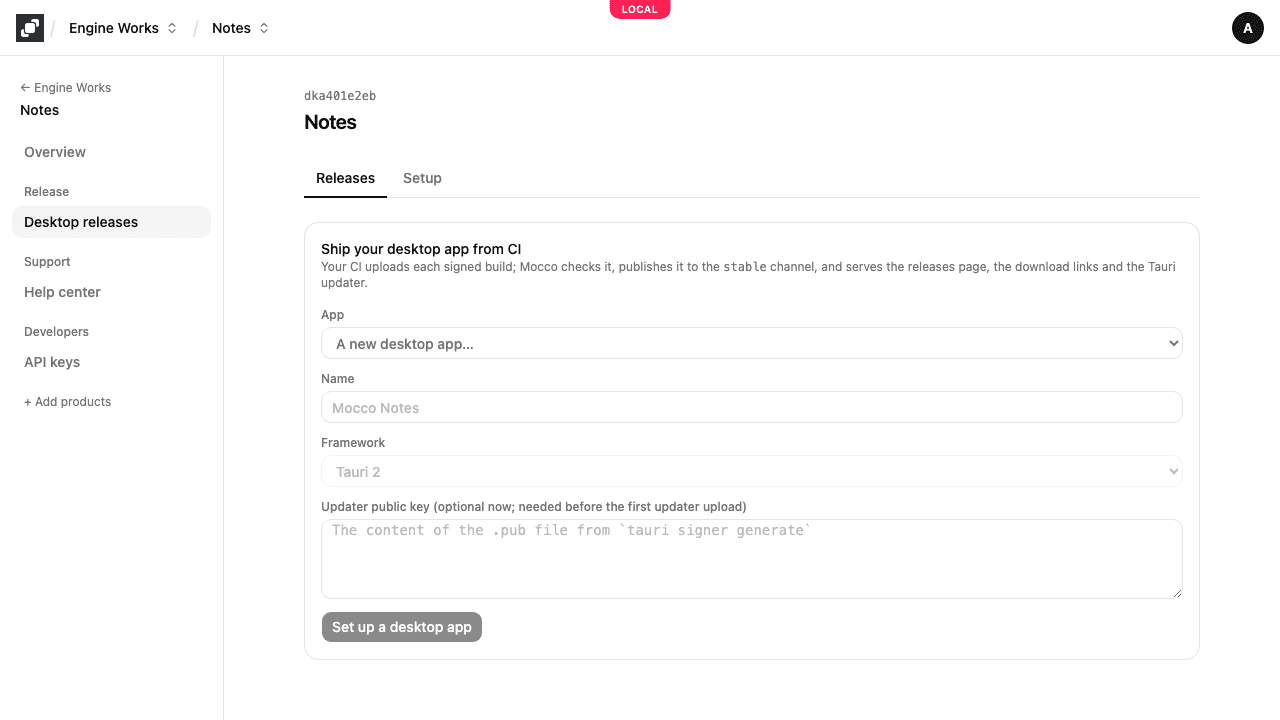
Add the updater plugin to the app (tauri-plugin-updater, pinned to an exact version, with its updater:default permission), and copy the block from Setup into tauri.conf.json:
{
  "bundle": { "createUpdaterArtifacts": true },
  "plugins": {
    "updater": {
      "pubkey": "<your .pub content>",
      "endpoints": [
        "https://www.mocco.club/api/ext/v1/desktop/apps/<app id>/updates/{{target}}/{{arch}}/{{current_version}}?channel=stable"
      ]
    }
  }
}
The endpoint is compiled into every build, so take it from Setup as it is. Check for updates on launch (or from a menu item), ask before download_and_install, and relaunch. The check runs in Rust, so the webview's content security policy needs no change.
3. Give CI a key
Create a secret API key with the desktop:write scope under API keys, and store it as the repository secret MOCCO_API_KEY. Store the Tauri signing key and its password as CI secrets too (TAURI_SIGNING_PRIVATE_KEY, TAURI_SIGNING_PRIVATE_KEY_PASSWORD), so the build signs the update bundle.
4. Add the release step
After the build has packaged and signed the installer and the update bundle, add:
- name: Publish to Mocco
  uses: fi-workers/mocco/actions/desktop-publish@<commit sha>
  with:
    app-id: <app id>
    version: ${{ steps.version.outputs.version }}
    notes-file: RELEASE_NOTES.md
    artifacts: |
      darwin-aarch64 installer release/App_${{ steps.version.outputs.version }}_aarch64.dmg
      darwin-aarch64 updater   release/App_${{ steps.version.outputs.version }}_aarch64.app.tar.gz
    channel: stable
  env:
    MOCCO_API_KEY: ${{ secrets.MOCCO_API_KEY }}
One line per file: the platform, installer or updater, and the path. The update bundle's .sig must be next to it (Tauri writes it). Pin the action to a commit. It builds the Mocco CLI from the same commit, so nothing is installed from npm. Leave out channel to stop at a draft and publish from the console. Not on GitHub Actions? See Publish with curl.
5. Release
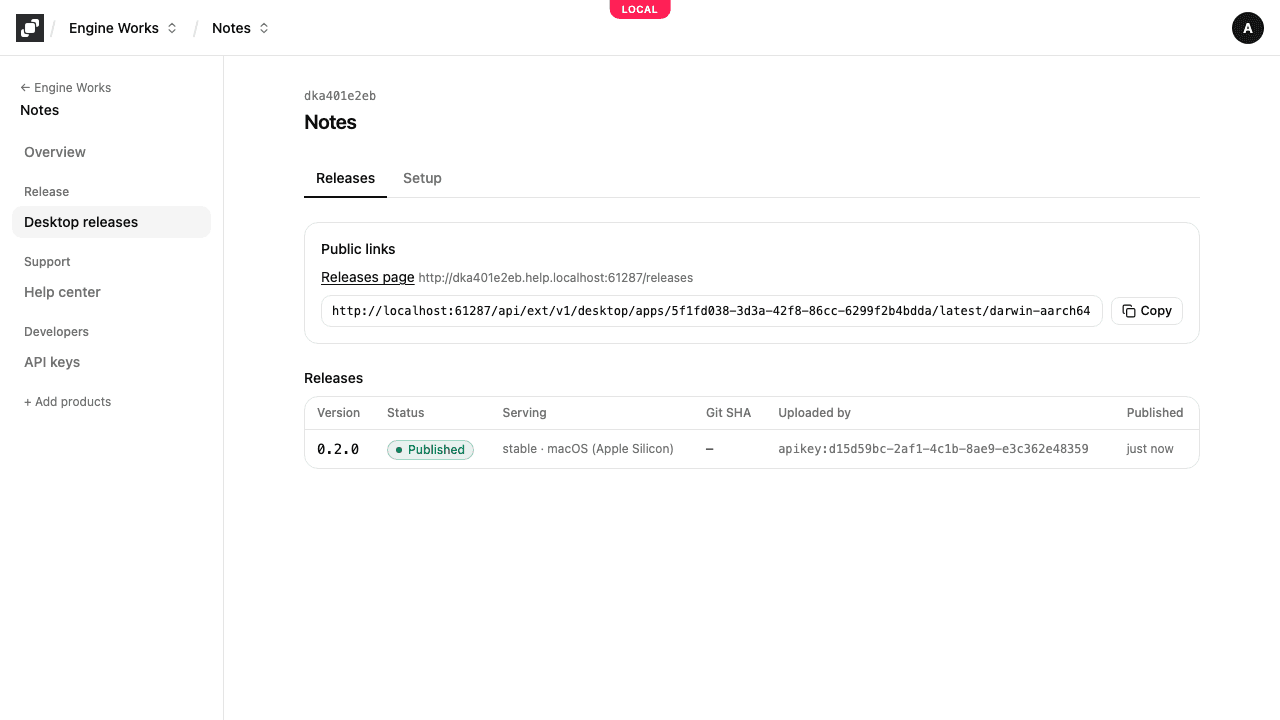
Merge a version bump. The job uploads the files, waits until Mocco has verified them, publishes to stable, and prints the download links. In the console the release shows as Verifying, then Draft, then Published.
If a file fails verification, the release is Failed, with the file and the reason (a wrong SHA-256, a signature by another key). Fix the build and run the job again with the same version: the new upload replaces the failed files.
A version that was published or withdrawn can't change; bump the version instead.
6. Share it
The releases page is on your project's public site at
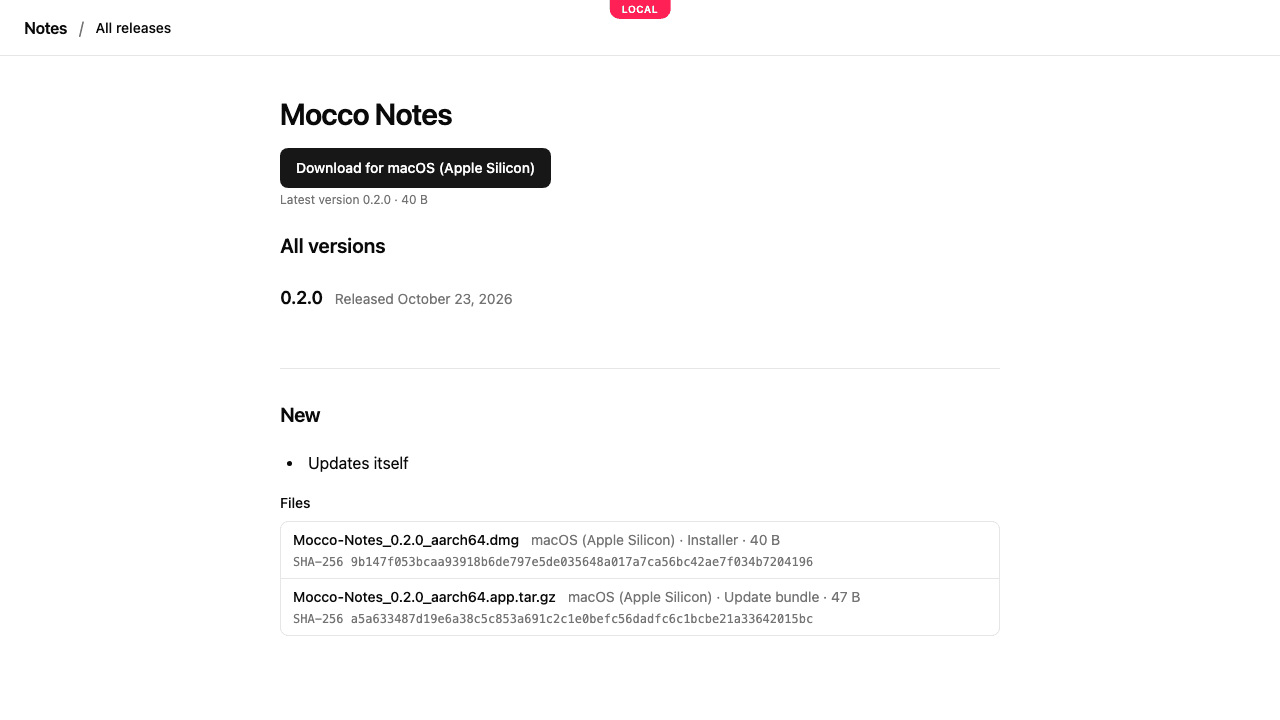
/releases: a download button per platform and every version's notes, in your site's language. Each version has its own page at/releases/<version>.The download link per platform (
…/latest/<platform>, shown under Public links) always reaches the newest installer: put it on your website.
Installed apps see the new version on their next check and install it after asking.
Withdraw a bad release
Open the release, give a reason and Yank. Its downloads stop at once (they answer "gone"), and the channel serves the version it served before. Apps that already installed it keep it, so publish a fixed newer version for them. Yank can't be undone.
Keep storage in check
By default Mocco keeps every build. On Setup → Retention, owners and admins can delete failed uploads and drafts some days after their last change. Published and withdrawn versions are never touched. The setting shows how much your app's builds hold now.